How to become a seller at Buy More Mall Kenya
Aug 05, 2023
Buy More Mall Kenya

To become a seller on the Buy More Mall Kenya website, follow these steps:
- Access the Seller Registration:
- Open your web browser and go to the Buy More Mall Kenya website.
- Look for the "Apply Now" section. This is where you can initiate the process of registering as a seller.
- Provide Shop Information:
- Click on the "Apply Now" button to begin the seller registration process.
- You'll be directed to a registration page where you need to provide your information to set up your shop.
- Fill in the required details:
- Your Name: Enter your full name.
- Your Email: Provide your email address.
- Your Password: Choose a secure password for your seller account.
- Repeat Password: Confirm the password you entered.
- Shop Name: Enter the name you want for your online shop on Buy More Mall Kenya.
- Address: Input your shop's physical address.
- Complete Registration:
- Double-check the information you've entered to ensure accuracy and completeness.
- Make any necessary corrections before proceeding.
- Register Your Shop:
- Once you're satisfied with the provided information, locate and click the "Register Your Shop" button or a similar option.
- This action will submit your registration details to Buy More Mall Kenya.
- Verification and Approval:
- Depending on Buy More Mall Kenya's procedures, your registration may need to go through a verification and approval process.
- Follow any instructions provided by the platform for verification, which may include confirming your email, providing additional documentation, or undergoing a review.
- Confirmation and Access:
- Once your registration is approved, you should receive a confirmation notification or email from Buy More Mall Kenya.
- Use the email and password you provided during registration to log into your seller account on the website.
- Set Up Your Shop:
- Access your seller dashboard, which is where you'll manage your shop, add products, set prices, and handle orders.
- Customize your shop's settings, such as adding a profile picture, shop banner, and additional information to make your shop attractive to customers.
- Add Products and Start Selling:
- Begin listing products you want to sell in your shop. Include product details, images, prices, and other relevant information.
- Monitor your shop's performance, process orders, and engage with customers to provide excellent service.
Please note that the exact steps and options may vary based on updates to the Buy More Mall Kenya website or changes in their registration process. Always refer to the platform's official documentation or customer support for the most accurate and up-to-date information on becoming a seller.
Recent Posts

Buymore Mall Kenya: Your Gateway to Direct Deals, Diverse Products, and Unbeatable Value
Jun 24, 2025
Buy More Mall Kenya
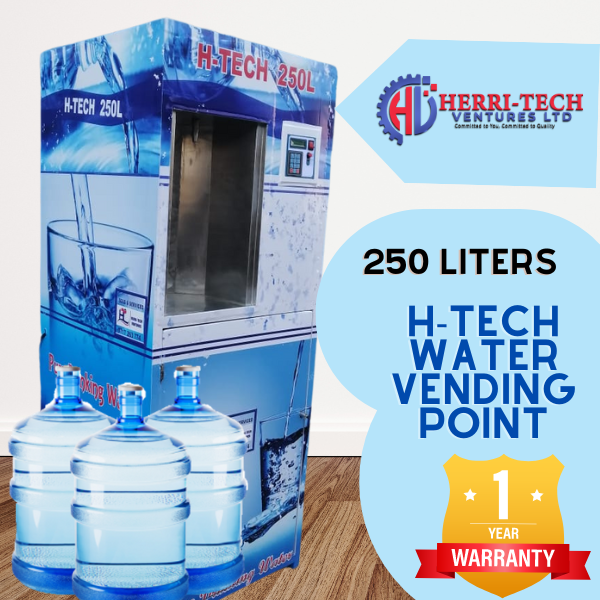
H-TECH 250L Water Vending Machine – Reliable & Efficient Water Dispensing!
Mar 28, 2025
atm vending business


Premium Stainless Steel Milk Cooling Tank – Available at BuyMore Mall Kenya
Mar 28, 2025
Dairy Equipment solutions

Advanced Water Treatment Machines by Herritech Ventures Ltd – Available on Buy More Mall Kenya
Mar 12, 2025
Water treatment solutions
Shop Smart, Earn Big: Unlock Rewards with Mall Kenya's Shop and Earn Program
Dec 11, 2023
Buy More Mall Kenya


direct link with the manufacturers
service providers
no shortcuts
verified users
affordable rates on all customised options